Levels 1–30 · checked 2026-10-27
Yarn Loop All Level Walkthroughs
Find your level, make sure the picture matches your board, and watch how it's solved.
- A video for every level
- Board check before you watch
- One practical tip per level
- Free, no sign-up
Haven't installed it yet? Get Yarn Loop on the App Store →
Yarn Loop Level Walkthroughs & Solutions
 Level 1Pink and Yellow Corner
 Level 2Red Target
 Level 3Green Smiley
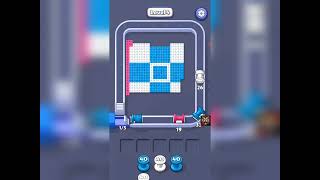 Level 4Blue Cross Tiles
 Level 5Brown Frame Squares
 Level 6Rubber Duck
 Level 7Heart in a Hand
 Level 8Blue Bee
 Level 9Orange Monster
 Level 10Golden Crown
 Level 11Carrot Friend
 Level 12Yellow Teapot
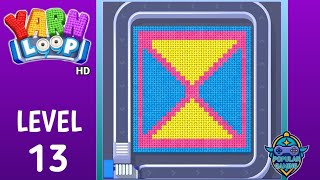 Level 13Hourglass Triangles
 Level 14Sitting Pig
 Level 15Pet Paw
 Level 16Clown Face
 Level 17Striped Planet
 Level 18Letter H
 Level 19Number 19 Player
 Level 20Rainbow Swirl
 Level 21Numbered Pink Squares
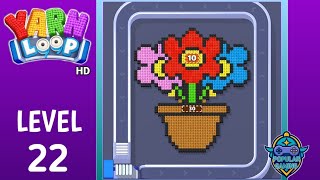 Level 22Flower Pot
 Level 23Question Block
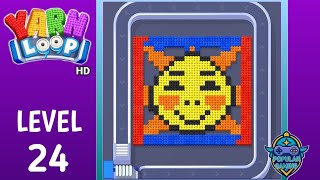 Level 24Smiling Sun
 Level 25Woven Star
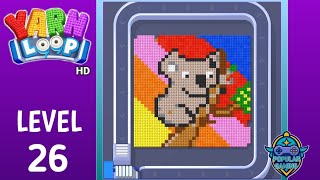 Level 26Koala on a Branch
 Level 27Greek Key Pattern
 Level 28Erupting Volcano
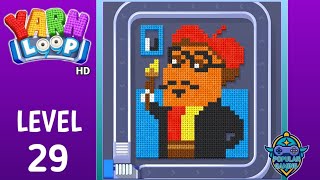 Level 29Bear with a Beret
 Level 30Blue Penguin
How Yarn Loop works
Yarn Loop is a one-tap puzzle game. You send yarn bobbins onto a conveyor, each bobbin picks up stitches of its own colour until its capacity runs out, and leftover bobbins wait on a limited rack. A level is complete when the knitted picture is fully cleared.
- BobbinsEach bobbin collects only stitches of its own colour. The number on it is how many stitches it can still pick up.
- ConveyorTapping a bobbin sends it along the conveyor, where it collects every reachable stitch of its colour.
- RackA bobbin that still has capacity left goes to the rack and can be used again later. When the rack is full you can run out of moves.
- OrderThe picture is cleared from the outside in, so the order you release colours matters more than speed.
Five habits that clear most levels
- Before your first tap, count which colour is on the outer edge of the picture. That colour usually has to go first.
- Prefer bobbins whose capacity matches what is reachable now. A bobbin that will be left half-full takes up a rack slot.
- Keep at least one rack slot free. A full rack is the most common way to get stuck.
- If the same colour appears in two separate areas, clear the outer one first so the inner one becomes reachable.
- Pause the video at the first few taps and compare the bobbin row with yours. If it differs, your level layout may be a different version.
Questions
Is Yarn Loop free?
Yes. It is free to download, with ads and optional in-app purchases. App Store page.
The video doesn't match my board. Why?
Levels are sometimes reordered or redesigned in updates. Each level page describes the picture and colours in its video, so you can tell straight away whether it is your version.